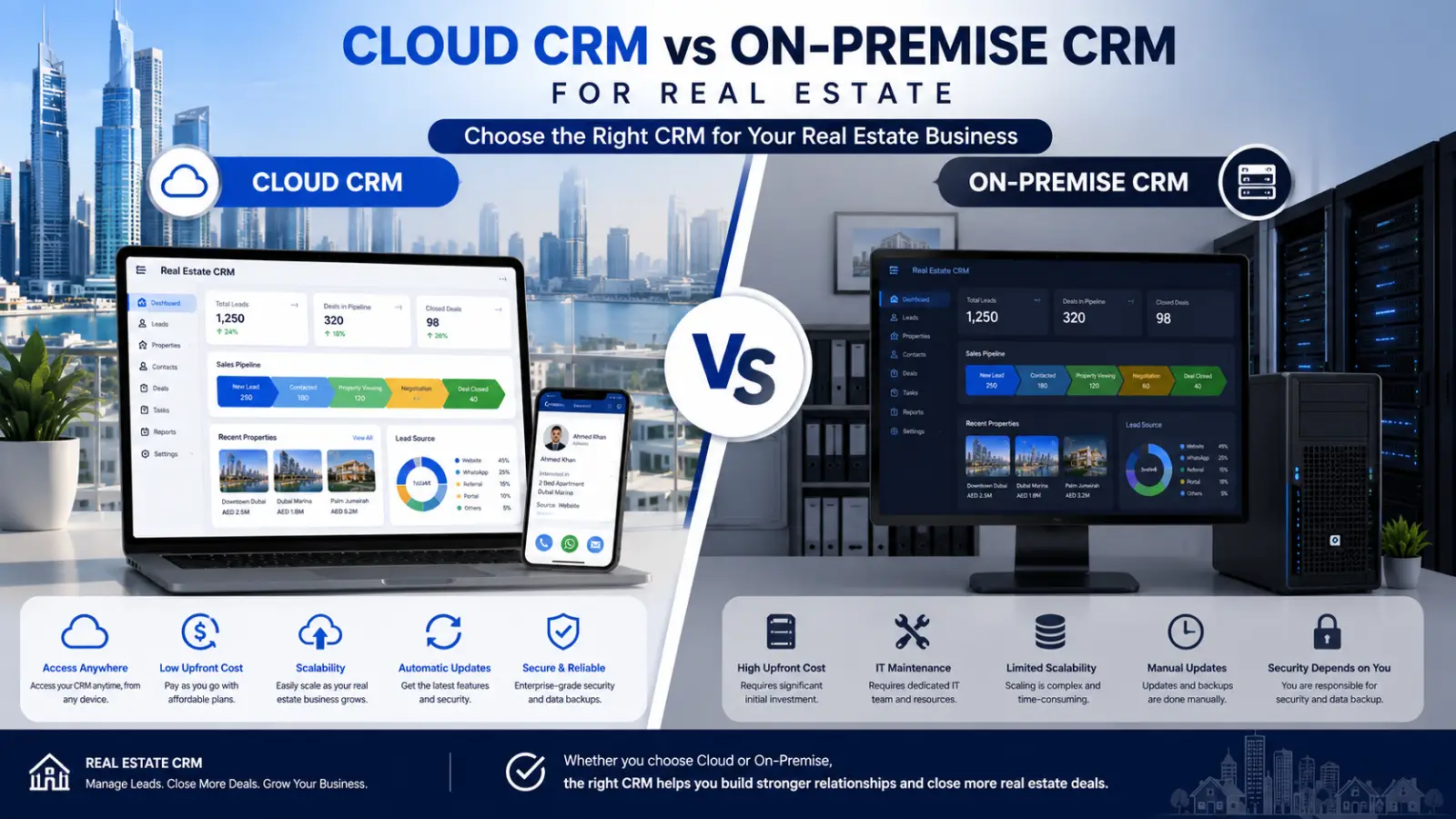
Choosing a CRM is one of the bigger technology decisions an agency makes. The platform matters, but so does where it actually runs. Cloud and on-premise systems work very differently in daily practice. This guide compares both across the factors that affect real estate teams.
What Is a Cloud CRM?
A cloud CRM runs on the vendor’s servers and is accessed through a browser. Your agency pays a monthly or annual subscription per user. The vendor handles hosting, updates, backups, and security patches.
Agents log in from any device with internet access. There’s no server to buy and no IT team required.
What Is an On-Premise CRM?
An on-premise CRM is installed on servers your agency owns. The software sits inside your office network or private data centre. Your team controls hosting, maintenance, updates, and data storage directly.
This usually means a large upfront licence fee. It also requires internal IT staff or an external contractor.
Cost: Subscription vs Upfront Investment
Cloud CRMs spread cost across predictable monthly payments. There’s no hardware to purchase and no installation project. Small agencies can start with a few users and grow.
On-premise systems demand significant capital before anyone logs in. You pay for licences, servers, setup, and ongoing maintenance. Costs are higher early but may level out over many years.
For most agencies, cloud wins on cash flow and speed to launch.
Setup Time and Deployment
Cloud CRMs are typically live within days. Setup mostly involves importing leads and training agents.
On-premise deployments often take weeks or months. Hardware procurement, installation, and configuration all add delay. Every day of setup is a day without a working system.
Access and Mobility
Real estate work happens away from the desk. Agents show properties, meet clients, and take calls on-site.
Cloud CRMs work from any phone, tablet, or laptop. Agents update deals and check leads between viewings.
On-premise systems often need VPN access for remote use. This adds friction and slows agents down in the field.
Data Security and Control
This is where on-premise has a genuine advantage. Your data physically stays on your own servers. Some agencies prefer this for regulatory or client-confidentiality reasons.
That said, control isn’t automatically the same as safety. Security depends entirely on your team’s expertise and vigilance. Reputable cloud vendors employ dedicated security staff and undergo regular audits.
The honest answer: cloud is safer for most agencies without in-house IT. On-premise is stronger only when you have real security capability.
[EXTERNAL LINK: UAE Data Protection Law or Dubai Land Department guidance on client-data handling]
Maintenance and Updates
Cloud vendors push updates automatically at no extra cost. New features arrive without any action from your team.
On-premise systems need manual upgrades, testing, and downtime planning. Skipping updates creates security risk over time. Many agencies end up running outdated versions for years.
Scalability
Agency headcount in real estate changes often. Cloud CRMs let you add or remove users instantly. You pay only for what you actually use.
On-premise scaling may require new hardware and additional licences. Growth becomes a procurement project instead of a settings change.
Integrations
Modern agencies depend on connected tools. Property portals, WhatsApp, email platforms, and accounting systems all matter.
Cloud CRMs typically offer ready-made integrations and open APIs. Connections often work within minutes.
On-premise systems may need custom development for each integration. This adds cost and lengthens every project.
Quick Comparison Table
| Factor | Cloud CRM | On-Premise CRM |
|---|---|---|
| Upfront cost | Low | High |
| Setup time | Days | Weeks to months |
| Remote access | Built in | Requires VPN |
| Maintenance | Vendor handles it | Your IT team |
| Updates | Automatic | Manual |
| Data control | Vendor-hosted | Fully in-house |
| Scalability | Instant | Hardware-dependent |
| Integrations | Usually ready-made | Often custom-built |
Which Should Real Estate Agencies Choose?
Most agencies are better served by a cloud CRM. It’s faster to deploy, cheaper to start, and easier to maintain. Mobile access alone justifies it for field-based agents.
On-premise makes sense in narrower situations. Consider it if you have strict data-residency rules or in-house IT staff. Very large enterprises with existing infrastructure may also prefer it.
The right answer depends on your team size and technical resources.
FAQ
What is the main difference between cloud and on-premise CRM?
Cloud CRM runs on the vendor’s servers and is accessed online. On-premise CRM runs on servers your agency owns and maintains.
Is cloud CRM secure enough for real estate data?
Yes, for most agencies. Established cloud vendors employ dedicated security teams and undergo regular audits. Small agencies rarely match that in-house.
Which is cheaper for a small real estate agency?
Cloud CRM is almost always cheaper to start. There’s no hardware cost, and you pay only per user monthly.
Can agents access an on-premise CRM remotely?
Usually only through a VPN connection. This adds setup steps and can slow agents down in the field.
Do cloud CRMs work without internet access?
Most require a connection, though some offer limited offline modes. On-premise systems can work on a local office network.
When does on-premise CRM make more sense?
When you have strict data-residency requirements or dedicated IT staff. Large enterprises with existing server infrastructure may also prefer it.
Can I migrate from on-premise to cloud later?
Yes, though migration takes planning. Data mapping, testing, and agent retraining all require time and coordination.
Conclusion
Cloud and on-premise CRMs solve the same problem in different ways. Cloud offers speed, mobility, and lower upfront cost. On-premise offers direct control at a much higher commitment.
For most real estate agencies, cloud is the practical choice. Agents work from the field, and teams change size often. Match the deployment model to how your agency actually operates.