
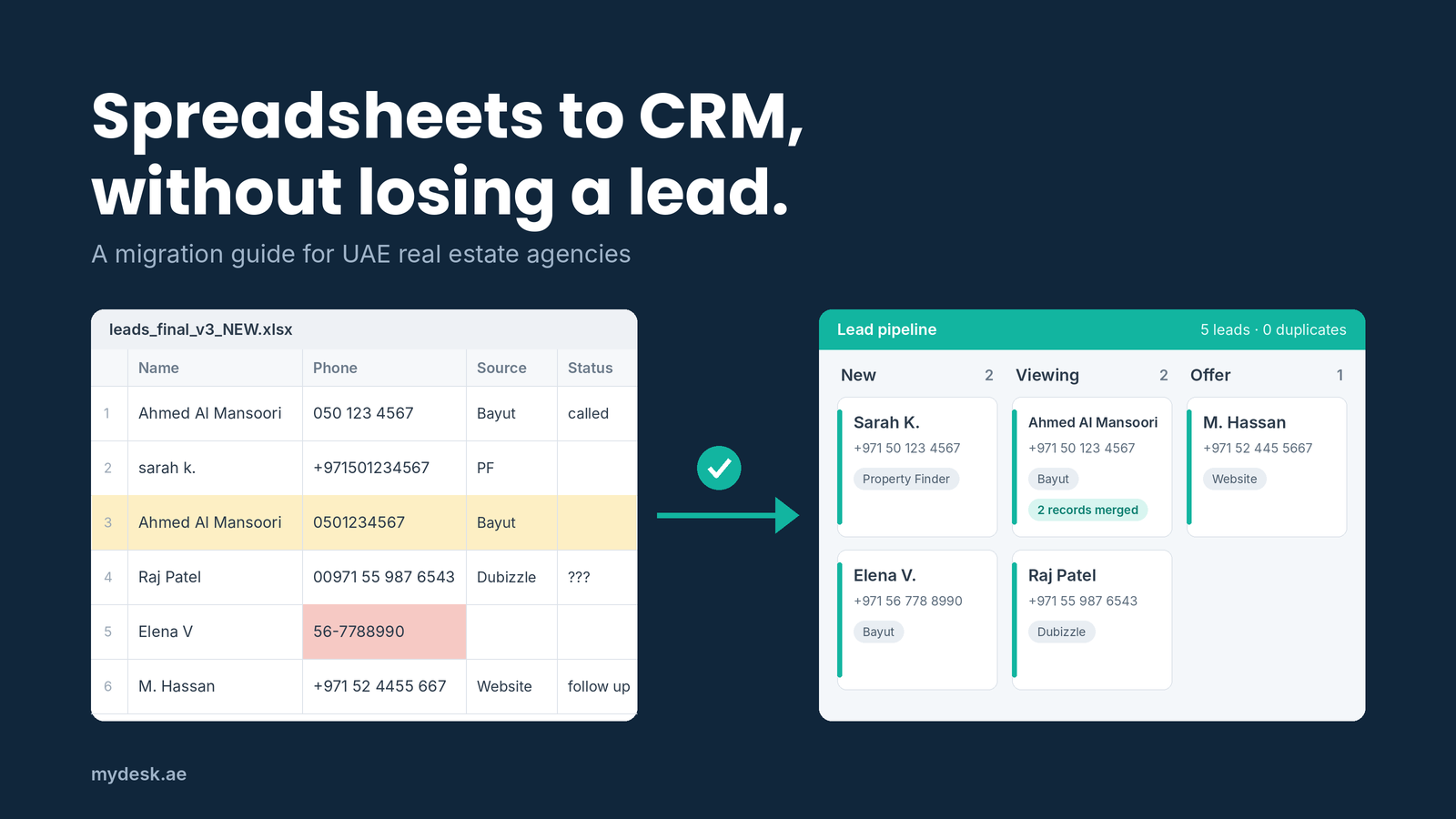
Moving from spreadsheets to a property CRM does not have to mean lost leads, broken history or weeks of downtime. Most Dubai agencies run on a mix of Excel files, Google Sheets, WhatsApp chats and portal exports. That works for a handful of agents, but it breaks once enquiries from Bayut, Property Finder and Dubizzle arrive faster than anyone can log them.
This guide shows how to migrate your data safely: what to clean first, how to map your columns, how to test the import, and how to switch over without losing a single enquiry.
7 Signs Your Agency Has Outgrown Spreadsheets
If three or more of these sound familiar, migration is already overdue.
- Leads get missed or double-handled. Two agents call the same buyer because nobody updated the sheet.
- Portal leads are copied by hand. Someone downloads enquiries from Bayut, Property Finder and Dubizzle and pastes them into a file.
- There are many versions of the same file. “Leads_final_v3_NEW.xlsx” is the source of truth, until it isn’t.
- No one can see follow-up status. Managers cannot tell which leads were called, which viewings were booked or which deals stalled.
- Agent turnover is a data risk. When an agent leaves, their client list leaves with them.
- Reporting takes hours. Lead source ROI, agent performance and pipeline value need manual formulas every week.
- Compliance records are scattered. Contracts, ID copies and listing details live across drives, email and chat.
A CRM fixes these by giving the whole team one shared record that updates in real time. The risk is in the move itself, which is why preparation matters.
Before You Migrate: Audit, Clean and Map Your Data
Most data loss happens before the import, not during it. Spend a day or two on preparation and the import itself becomes routine.
1. Inventory every source
List every place client and property data lives: agent spreadsheets, shared drives, portal downloads, WhatsApp exports, email contacts and phone address books. Decide which source wins when two disagree.
2. Clean the data
- Remove duplicates. Match on phone number first, then email. Dubai numbers appear in many formats (+971 50…, 050…, 00971…), so standardise them before comparing.
- Fix formatting. Use one date format, one currency (AED), and consistent names for areas and communities (“Dubai Marina”, not “Marina” or “DMarina”).
- Split combined fields. Separate full names into first and last name, and “2BR, 1,200 sq ft” into bedrooms and size.
- Archive dead records. Leads untouched for years can be imported as archived, so they do not clutter active pipelines.
3. Map spreadsheet columns to CRM fields
Create a simple mapping table before you import. Anything without a home in the CRM needs a custom field or a decision to drop it.
| Spreadsheet column | CRM field | Notes |
|---|---|---|
| Client Name | First name + last name | Split into two fields |
| Mobile | Phone (international format) | Standardise to +971 |
| Lowercase, remove duplicates | ||
| Source | Lead source | Use a fixed list: Bayut, Property Finder, Dubizzle, Website, Referral |
| Interested In | Property type / budget / area | Split into separate fields |
| Agent | Assigned agent | Must match CRM user names exactly |
| Status | Pipeline stage | Map old statuses to the new stages |
| Notes | Activity notes | Keep dates with each note where possible |
4. Back everything up
Save an untouched copy of every original file in a read-only folder. If anything goes wrong, you can always start again.
Step-by-Step: How to Migrate Without Losing Data
- Set up your CRM structure first. Create users, teams, lead sources, pipeline stages and custom fields before importing anything. Data needs somewhere to land.
- Run a small test import. Import 20 to 50 records and check every field. Look for scrambled names, broken phone numbers and wrong dates.
- Fix the template, then repeat. Correct your mapping and re-test until the sample imports cleanly.
- Import in batches. Start with active leads and live listings, then contacts, then historical records. Smaller batches make errors easy to trace.
- Connect your portals. Link Bayut, Property Finder and Dubizzle so new enquiries flow straight into the CRM instead of back into spreadsheets.
- Verify the numbers. Compare record counts and spot-check 10 percent of records against your backups. Totals should match.
- Train agents before go-live. Run a short session on logging calls, updating stages and adding notes. A CRM is only as good as the data your team enters.
- Freeze the spreadsheets. Pick a go-live date, make the old files read-only and tell the team the CRM is now the only source of truth.
- Review after two weeks. Check for duplicates, missing fields and agents who are still using side spreadsheets, and fix them early.
Most agencies can complete a clean migration in one to two weeks, depending on the size and condition of their data.
6 Common Migration Mistakes (and How to Avoid Them)
| Mistake | What goes wrong | How to avoid it |
|---|---|---|
| Importing messy data as-is | Duplicates and bad records follow you into the CRM | Clean and de-duplicate before the import |
| Skipping the test import | Errors hit thousands of records at once | Test with 20 to 50 records first |
| No backup | Mistakes cannot be reversed | Keep untouched copies of all original files |
| Running two systems in parallel | Agents update the sheet, not the CRM | Set a hard go-live date and freeze the spreadsheets |
| Ignoring agent training | Low adoption and incomplete records | Train the team before go-live, not after |
| Dropping notes and history | Agents lose context on live clients | Import notes and activity history with dates |
How MyDesk Makes Migration Easier
MyDesk is a property CRM built for UAE real estate agencies, so the fields, pipelines and portals you already use are part of the system from day one.
- Import your spreadsheets. Bring leads, contacts and listings in from Excel or CSV files and map them to the right fields.
- Portal integrations. Connect Bayut, Dubizzle and Property Finder so new enquiries land in one inbox and stop going back into spreadsheets.
- Built for how agencies work. Assign leads to agents, track calls, manage off-plan and secondary pipelines, and run multiple branches from one account.
- One source of truth. Every note, call and follow-up stays with the client record, even when an agent moves on.
If you are planning a move, book a MyDesk demo and bring a sample of your current spreadsheet. It is the quickest way to see how your data will look inside the CRM.
Frequently Asked Questions
How long does it take to migrate from spreadsheets to a real estate CRM?
Most agencies finish in one to two weeks. Data cleaning usually takes the longest, while the import itself is often done in a day. Larger agencies with several branches or years of history may need more time.
Can I import Excel or Google Sheets files into a CRM?
Yes. Most CRMs accept CSV and Excel files. For Google Sheets, download the file as a CSV first, then map each column to the matching CRM field during import.
Will I lose my lead notes and history during migration?
Not if you plan for it. Keep notes in their own column with dates, map them to activity notes, and compare record counts after the import. Always keep an untouched backup of the original files.
How do I remove duplicate leads before importing?
Standardise phone numbers to one international format (+971), then match on phone and email. Merge duplicates by keeping the record with the most complete history and the latest activity.
Should I import old and inactive leads?
Yes, but import them as archived or in a separate stage. You keep the history without cluttering the active pipeline, and you can re-engage those contacts later.
Can I keep receiving portal leads while I migrate?
Yes. Connect your Bayut, Property Finder and Dubizzle accounts early so new enquiries go straight into the CRM. Import your existing spreadsheet data at the same time, and avoid logging new leads in both places.
How do I get my agents to use the new CRM?
Train them before go-live, set a clear start date, and make the CRM the only place leads are tracked. Managers should review pipelines in the CRM, not in spreadsheets, so agents see that the data matters.
Conclusion
A spreadsheet-to-CRM migration is safe when you treat it as a project: audit your sources, clean and map the data, test with a small batch, import in stages, and set a firm go-live date. Do that and you keep every lead, note and listing while gaining a system that tracks every enquiry across your portals and your whole team.
Ready to make the move? Talk to the MyDesk team and see how your current spreadsheets would look inside a property CRM built for UAE agencies.